Private by default
Your grades, mail and lessons stay yours. No ads, no data sold, nothing shared without your say.
Free beta · Pronote & Skolengo
Homework, grades, timetable, lessons, revision and your class chat: all in one place. Free, no ads, made for students.
Our rules
Your grades, mail and lessons stay yours. No ads, no data sold, nothing shared without your say.
The whole app is free: homework, grades, chat, lessons, revision. No hidden subscription.
A file on Android, a shortcut on iPhone, or right in your browser. One minute, tops.
The AI is free, with fair usage time for everyone. A paid plan will come for those who want more, without taking anything away.
Why CoolRoom
Before / after
You know the chaos of class group chats. Hit the switch.
12 group chats, 142 unread messages, and still no answer.
142 unread messages
One app: everything sorted, nothing lost.
All in one
Pronote, Skolengo, EduConnect, the ENT inbox, the class group chat, the planner, the flashcards: CoolRoom puts it all in one place. Keep scrolling.
Features
Scroll on: every screen is the real app (in French, for now).
ou tape le code de ta classe
01Classes and schools
Scan your class's QR code or type its code: the class lead approves you and you're in. Your school isn't there yet? Add it, then create your class in a few questions.
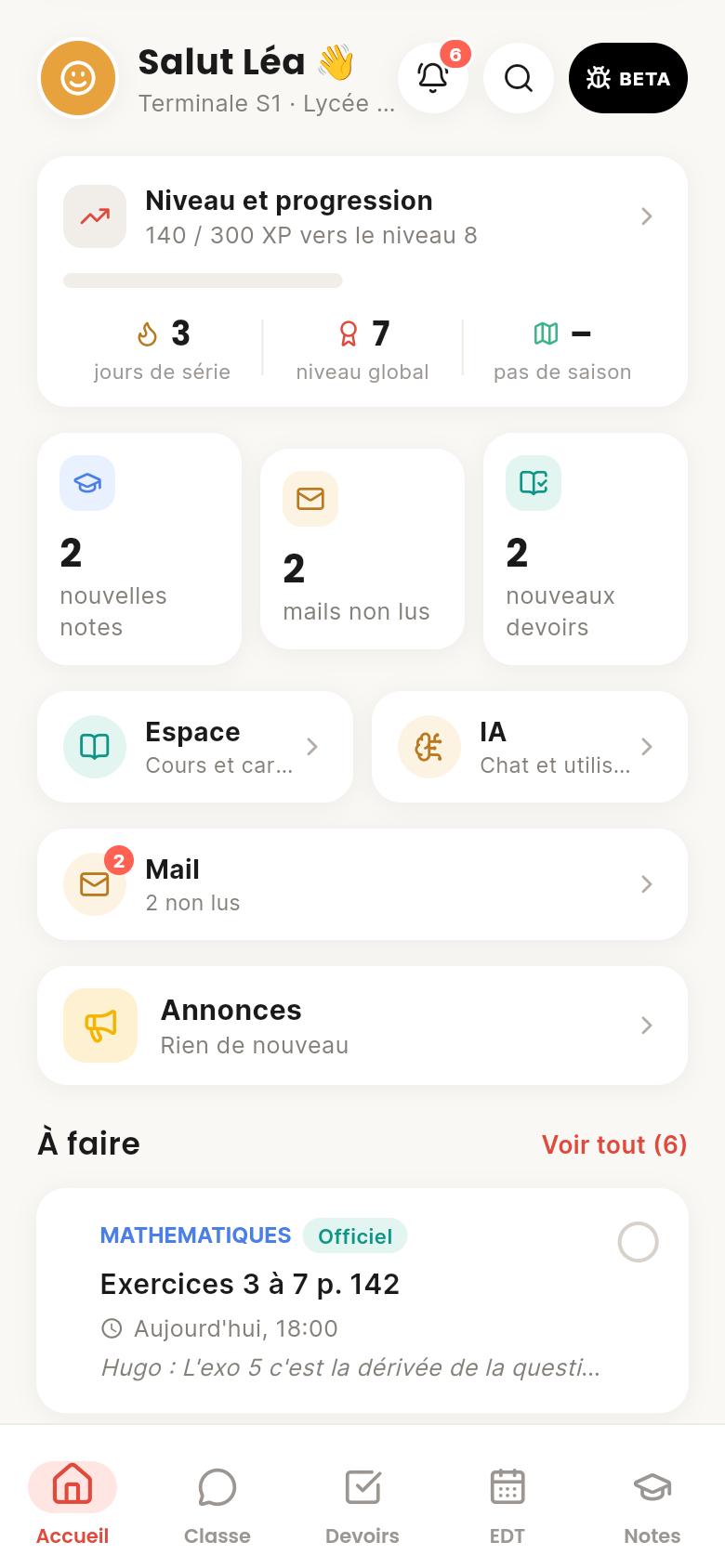
02Home
Next lesson, homework to do, new grades, unread mail: it's all there when you open the app. And you decide the layout: drag the blocks into your own order.
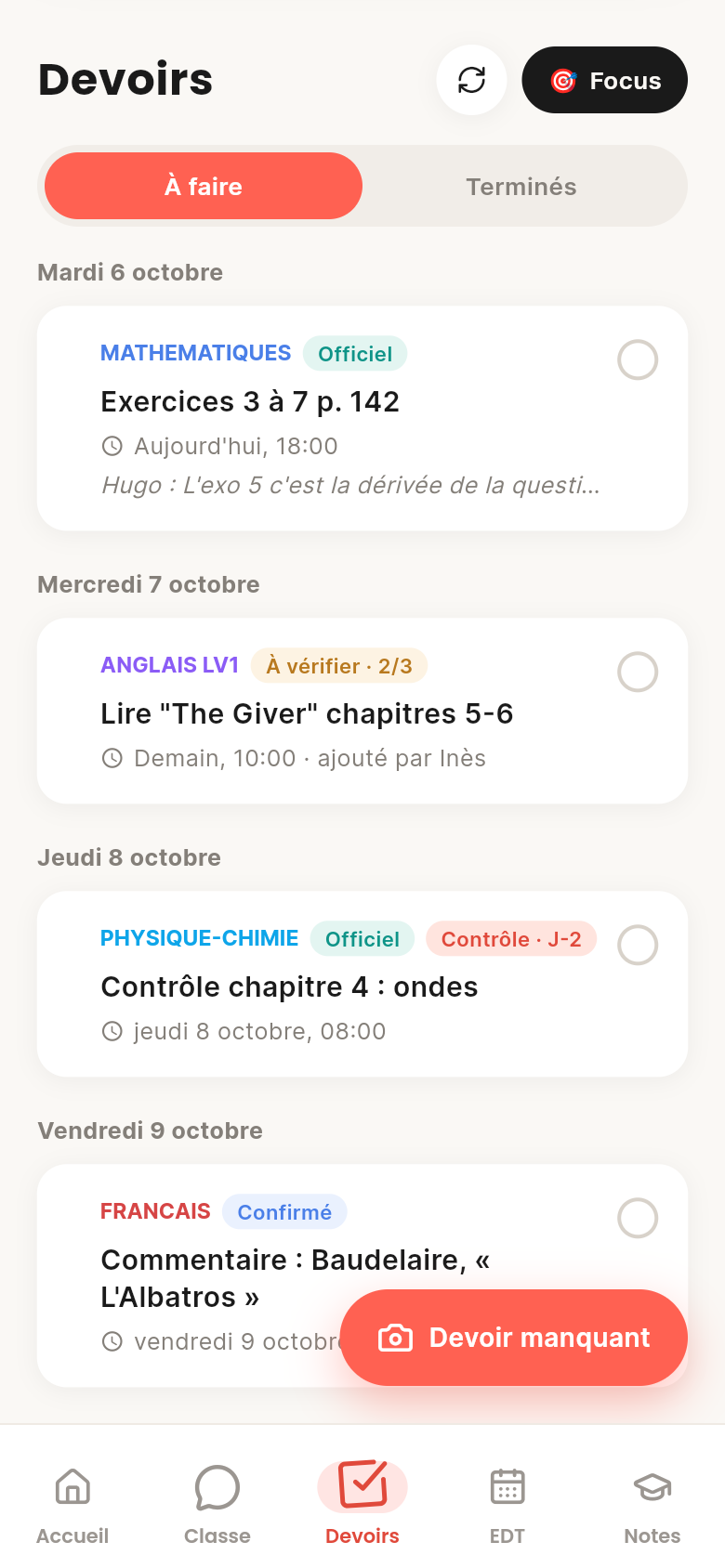
03Homework
Pronote's homework comes in on its own. Something missing? Snap the planner or paste the group chat message: the AI turns it into homework. Three classmates confirm, and it's verified.
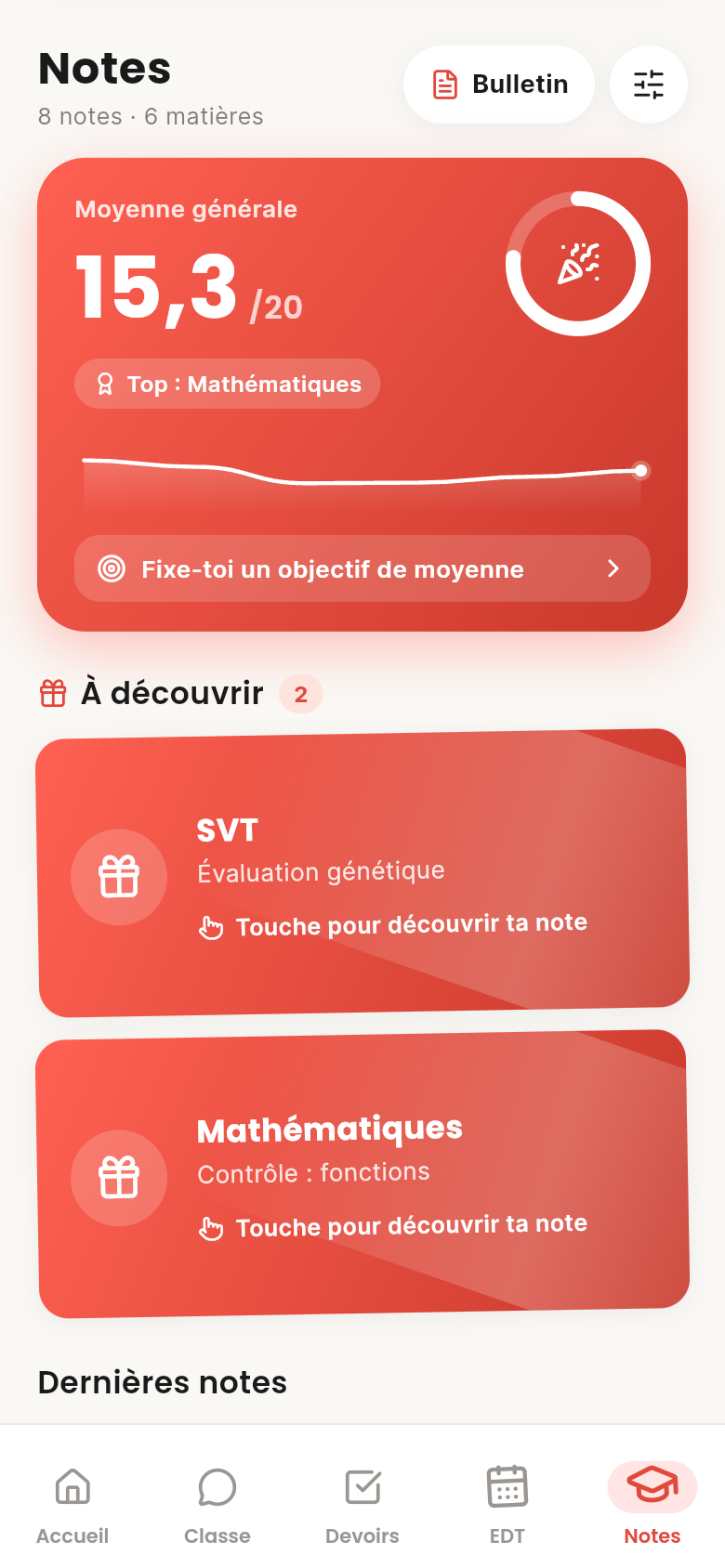
04Grades
Every new grade arrives as a sealed card: flip it when you're ready. Averages, trends, goals… and never a ranking.
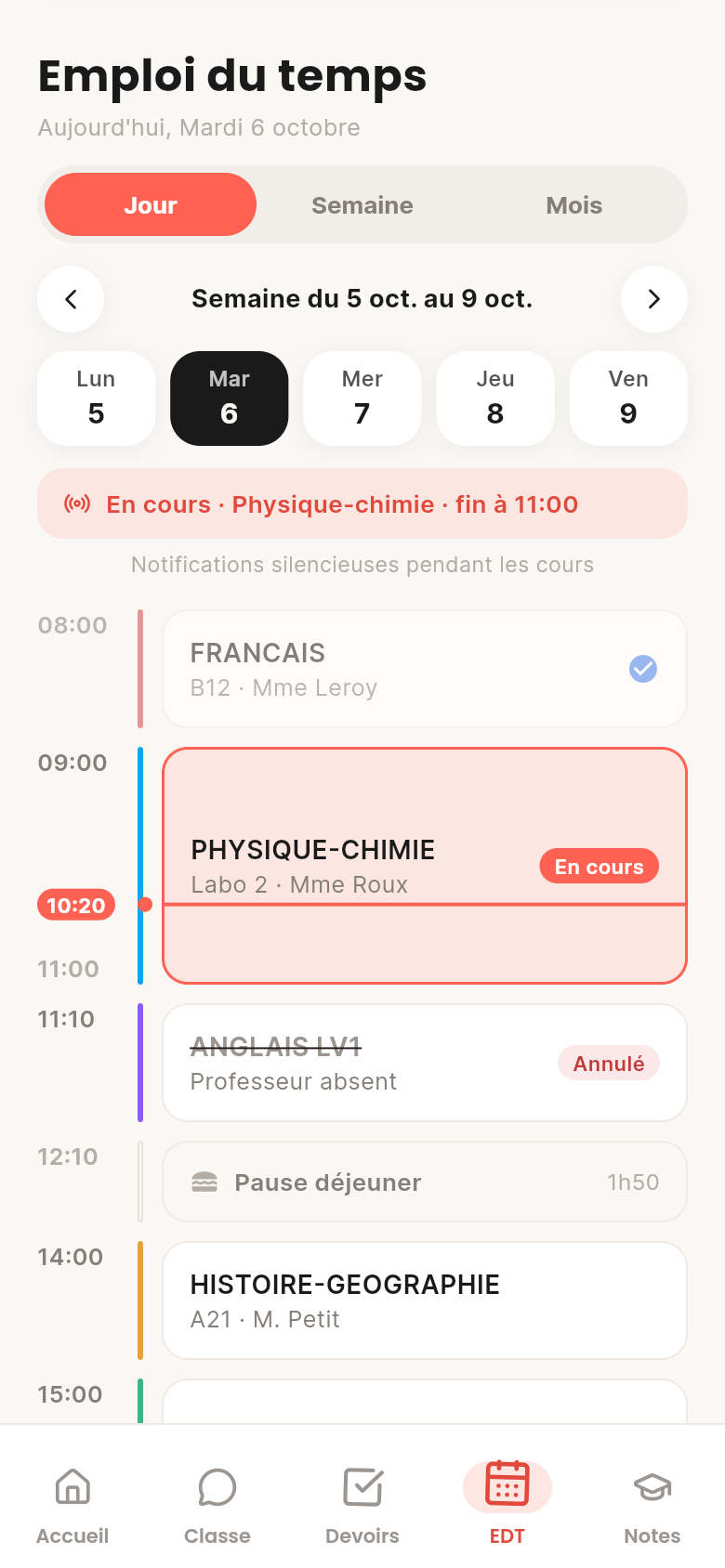
05Timetable
By day, week or month. Lesson cancelled, room changed, teacher away: you get told, and so does the class. Absences, lates and detentions live in Vie scolaire.
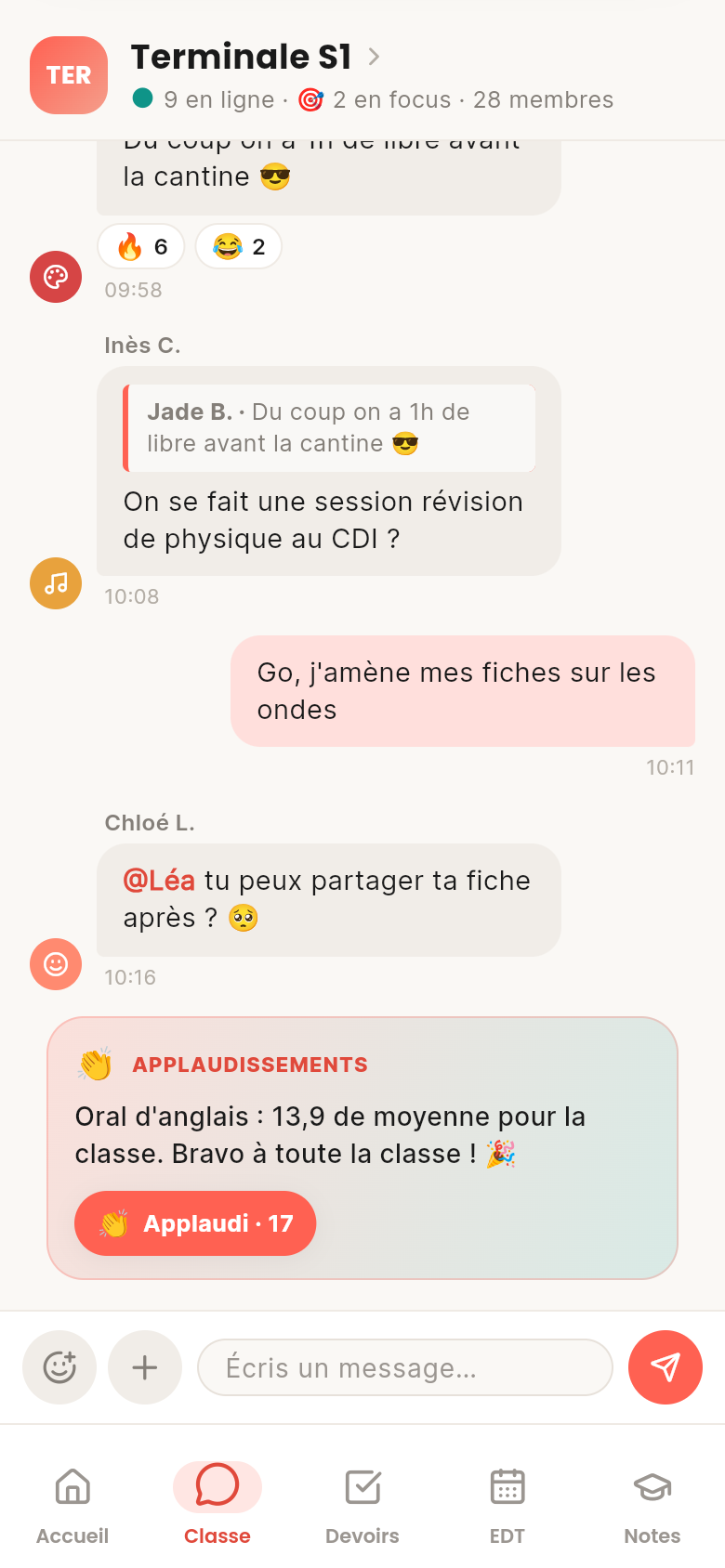
06Class chat
One chat per class, no private messages. Quote-reply, react with any emoji, send photos and videos, cut out your own stickers. New homework and timetable changes post themselves.
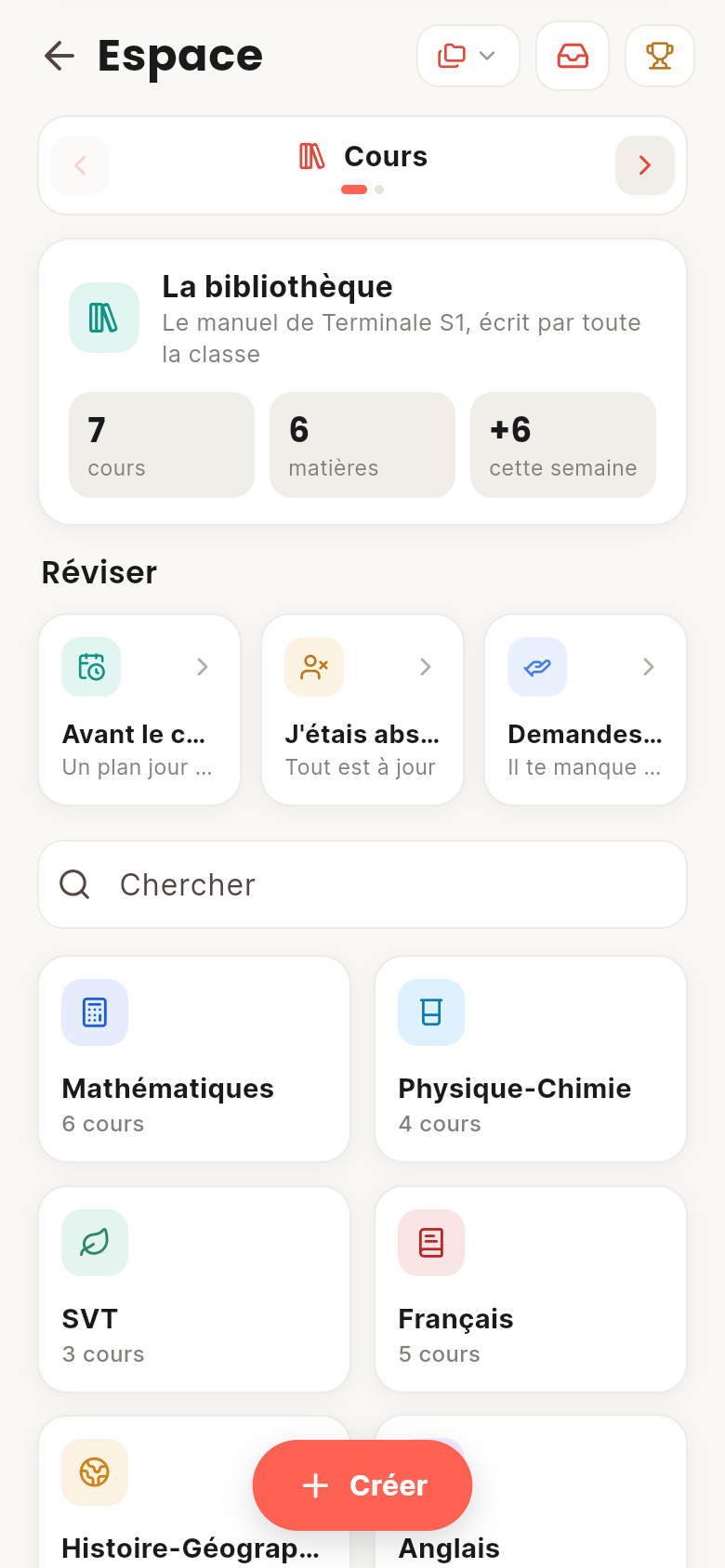
07Lessons
A library of lessons per subject that everyone improves. Snap your lesson: the AI files it, completes it and links it to the others. Formulas, diagrams, timelines, mind maps: it all gets drawn.
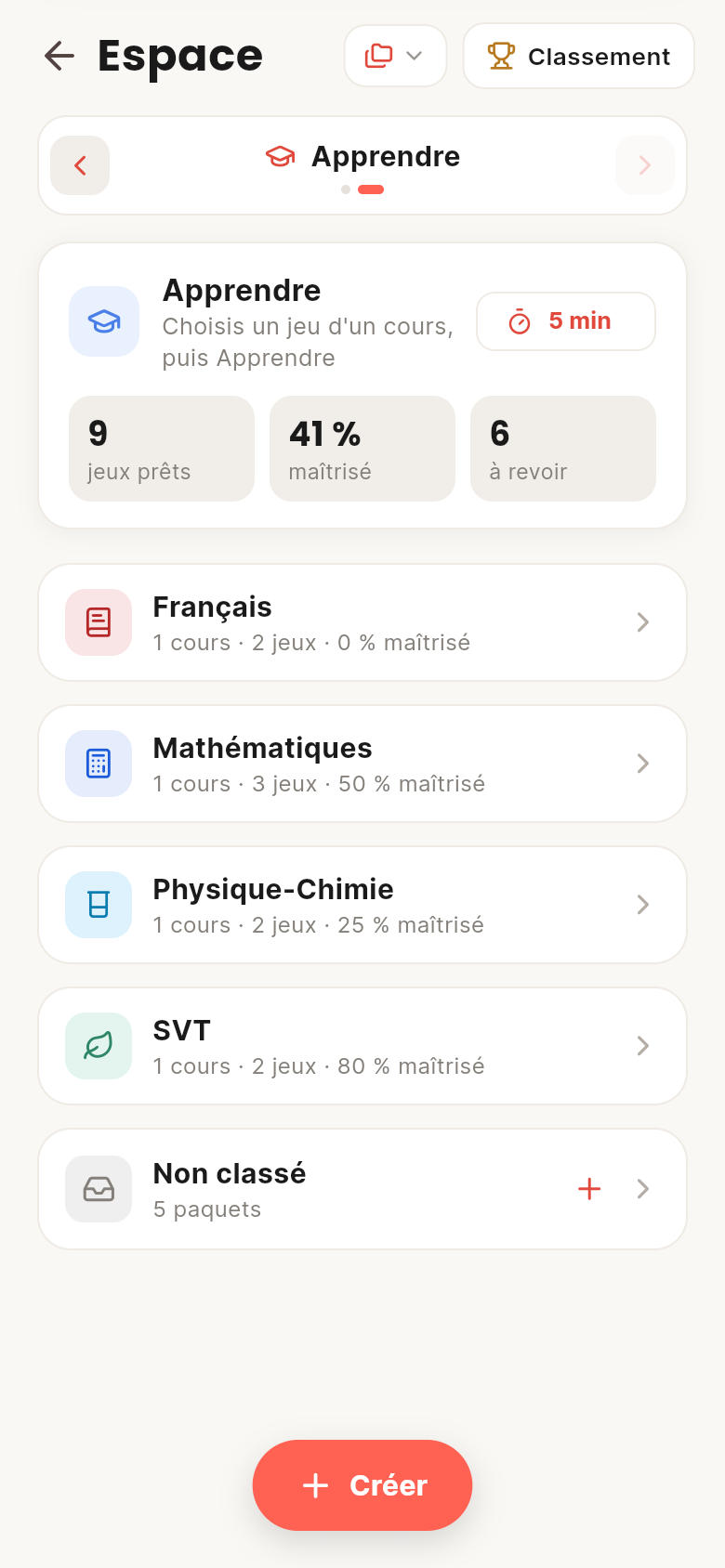
08Learn
Every lesson turns into games: quizzes, fill-in-the-blanks, timelines, true or false, matching. Your flash card decks play with a swipe, and the AI makes them from a lesson or a photo.
Regarde bien f : c'est une multiplication de deux fonctions. Quelle règle de dérivation tu connais pour un produit ?
Dérivée d'un produit09AI
Ask your question and pick how much help you want, from "I want to learn" to "Just give me the answer". It draws on your class's lessons, and never sees your photos: only the text read from them is sent.
How do I differentiate f(x) = x·eˣ?
Look closely at f: it's two functions multiplied together. Which differentiation rule do you know for a product?


Prochaine synchro dans 4:59
10Pronote, Skolengo, EduConnect
Connect your accounts once. Grades, homework, timetable, mail and school life sync every 5 minutes, and you choose what comes in.
Bonjour à tous, la sortie du jeudi 15 octobre est confirmée. Départ à 8h devant le lycée…
Madame, Monsieur, la rencontre parents-professeurs de Terminale aura lieu le…
Vous trouverez la correction en pièce jointe. Attention à la rédaction de la question 3.
Une nouvelle évaluation est disponible dans votre espace.
11Mail
Teachers, admin, system: your mail is sorted and grouped into threads. Write and reply with attachments. "Share with the class" hides addresses and phone numbers.
Nouvelle note en Mathématiques. Retourne ta carte quand tu es prêt.
DM n°2 : suites est confirmé par la classe.
Anglais de 11h10 annulé (professeur absent).
Chloé t'a mentionnée : « @Léa tu peux partager ta fiche ? »
M. Petit : Sortie au musée des Confluences
12Notifications
New grade (without the grade!), homework, mail, cancelled lesson, mention. During lessons, everything arrives silently. And "Do not disturb" whenever you like.
13Progress and profile
You earn XP by helping your class: verified homework, lessons written, revision. Every level brings CC to spend in the Shop: banners, animated frames, tags, emojis. Your profile becomes your showcase, with no ranking at all.
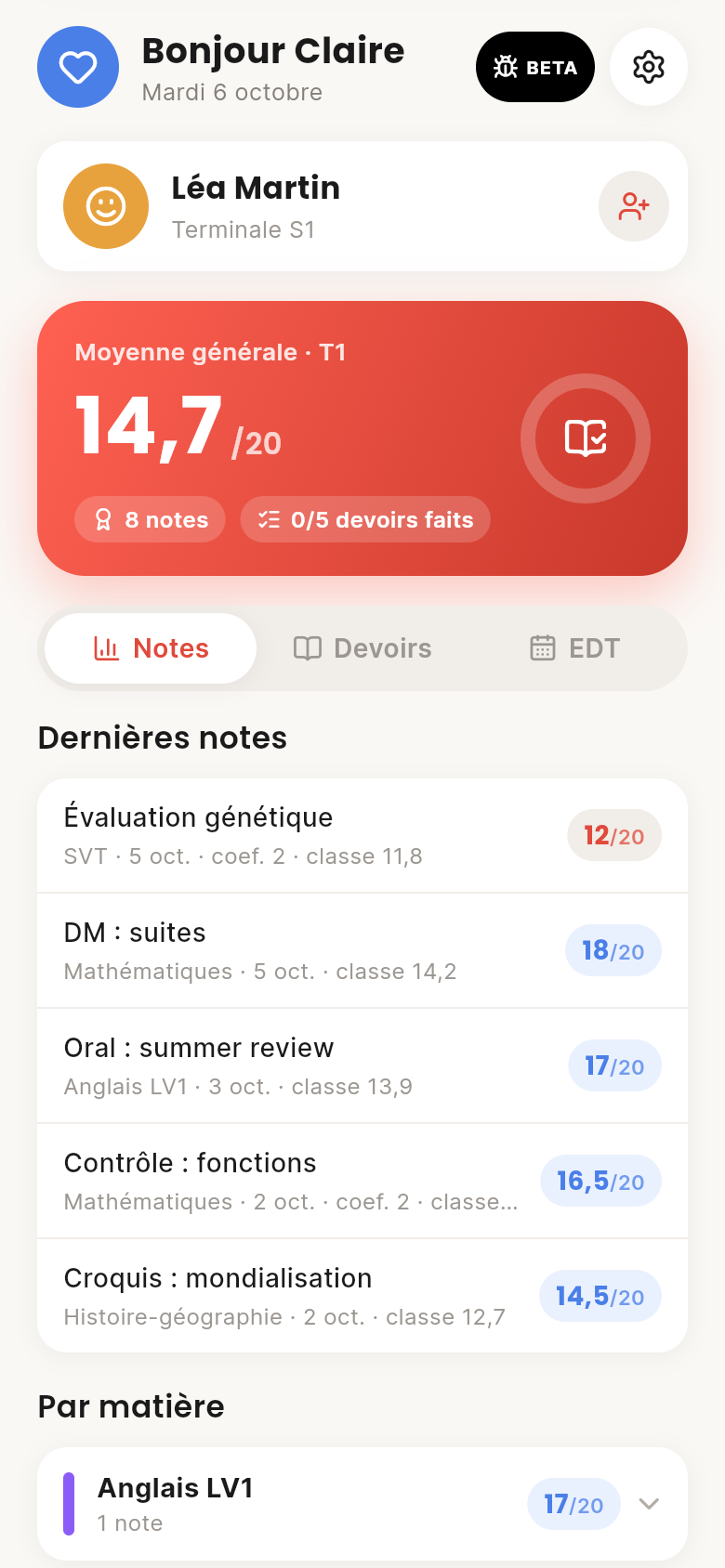
14Parents
A read-only parent account, linked with a family code you accept. They see grades, homework and the timetable: never the chat, your lessons or your mail.
And also
Your class and CoolRoom tell you behind a yellow button, no spam.
A code from an app or by mail, plus your trusted devices.
25 to 90 minutes without pings. Your class sees you're working.
Homework, grades, mail and chat, accents or not.
Light, dark, or two colours picked on a wheel.
Every update tells you what changed.
Download
One account everywhere: start on your phone, carry on on your computer.
An APK file you install directly.
Coming soonThe APK is coming very soon.
Installed from the web, full screen on your home screen. No App Store.
Install on iPhoneSafari opens and shows you the 3 steps.
The IPA is coming very soon.
Installed this way, the app has to be reinstalled every 7 days.
On a computer, tablet or phone. Nothing to install.
Open CoolRoomThe same app, online.
FAQ
Yes. The whole app is free and ad-free. So is the AI, with fair usage time for everyone. A paid plan may come for more AI, without taking anything away from the rest.
If your school uses Pronote or Skolengo, yes. Skolengo works in every region. And even without an ENT, the chat, lessons and revision work for the whole class.
No. CoolRoom is an independent project, not linked to Pronote, Skolengo, EduConnect or the French Ministry of Education. It reads your data with your own login, exactly like you do.
Never. Your grades, mail and private lessons stay yours. Class applause talks about the class average, never your grade.
Only if you accept their request, and only grades, homework and the timetable. Never the chat, your lessons or your mail. You can unlink whenever you like.
No. Photos are read by a text recognition tool, then only that text, which you can correct, goes to the AI. No AI ever sees an image.
Not on the App Store yet. On iPhone, CoolRoom installs from Safari onto your home screen, full screen. On Android it's an APK file. And the browser works everywhere.
Yes, with the agreement of a parent or legal guardian. It's asked at sign-up.
Roadmap
CoolRoom moves fast: a new version almost every week.
Create your account, scan your class's code, and you're in. It's free.
 3
3